Easier to Create, Harder to Trust: Five Crypto Wallets Through a Beginner's First Session
A colleague who had never used crypto set up five wallets: MetaMask, Phantom, Zerion, Trust Wallet, and Rabby. Here is what she found confusing and why.


Khiem Hoang
Product Manager
Tech
5 Minutes
Crypto has made wallets dramatically easier to create. It has not made them dramatically easier to understand. That was the clearest result from five first sessions we ran with a colleague who had never used a crypto product. She already uses Wise to send and receive money. This is her prime use case. For each wallet, we asked: would she move $500 through this instead of Wise if the fees were lower. She installed five wallets, created five accounts, and navigated most of them without help. She said no to all five. Zerion, the wallet she scored highest, got the same no as the rest.
The industry measures activation as wallet creation while the user measures it as confidence.
The method
Same task list in each wallet: install the extension, create a wallet, find the receiving address, locate the buy, swap, and network controls, find transaction history, find support. Each wallet scored 1 to 5 on five dimensions: getting started, plain English, finding things unaided, feeling safe, and willingness to recommend it to another beginner. For each wallet, the closing question was whether she would move $500 through it instead of Wise if the fees were lower.
This review judges first impressions. It covers installing the wallet, creating an account, and finding the main functions. She did not add money to any wallet or send a transaction.
The scoreboard
Wallet | Getting started | Plain English | Finding things | Feeling safe | Would recommend | Average |
|---|---|---|---|---|---|---|
MetaMask | 4 | 5 | 4 | 2 | 3 | 3.6 |
Phantom | 5 | 5 | 5 | 3 | 4 | 4.4 |
Zerion | 5 | 5 | 5 | 3 | 5 | 4.6 |
Trust Wallet | 4 | 3 | 3 | 2 | 3 | 3.0 |
Rabby | 4 | 4 | 3 | 2 | 4 | 3.4 |
Zerion averaged 4.6 across the five dimensions, Phantom 4.4, MetaMask 3.6, Rabby 3.4, and Trust Wallet 3.0. Feeling safe was the lowest score for every wallet, including the two at the top.
MetaMask reads clean but leans on vocabulary a beginner doesn't have. Phantom ran the smoothest onboarding of the five. Zerion scored highest, on one pattern documented below. Trust Wallet produced the hardest session. The address, the buy flow, and the network switch each took multiple attempts to find. Rabby is fast and minimal, and a single label cost it the buy task.
Setup and trust are separate design problems. These five products are considerably further along on the first.
Finding 1: none of the five replaced Wise
The last question for each wallet: would she move $500 through it instead of Wise if the fees were lower? She said no for all five. Zerion, the only wallet to score a 5 on recommendation, got the same answer as the rest.
Her reasoning was identical each time: not until she understood what actually happens to the money. Wise is the tool she already uses for exactly this job, and none of the five gave her a reason to switch, even at a lower fee. Perfect onboarding scores did not change that.
A wallet can be effortless to set up and still not displace the tool a new user already trusts with her money. Removing steps is not the same as creating confidence.
Finding 2: custody wasn't the first fear
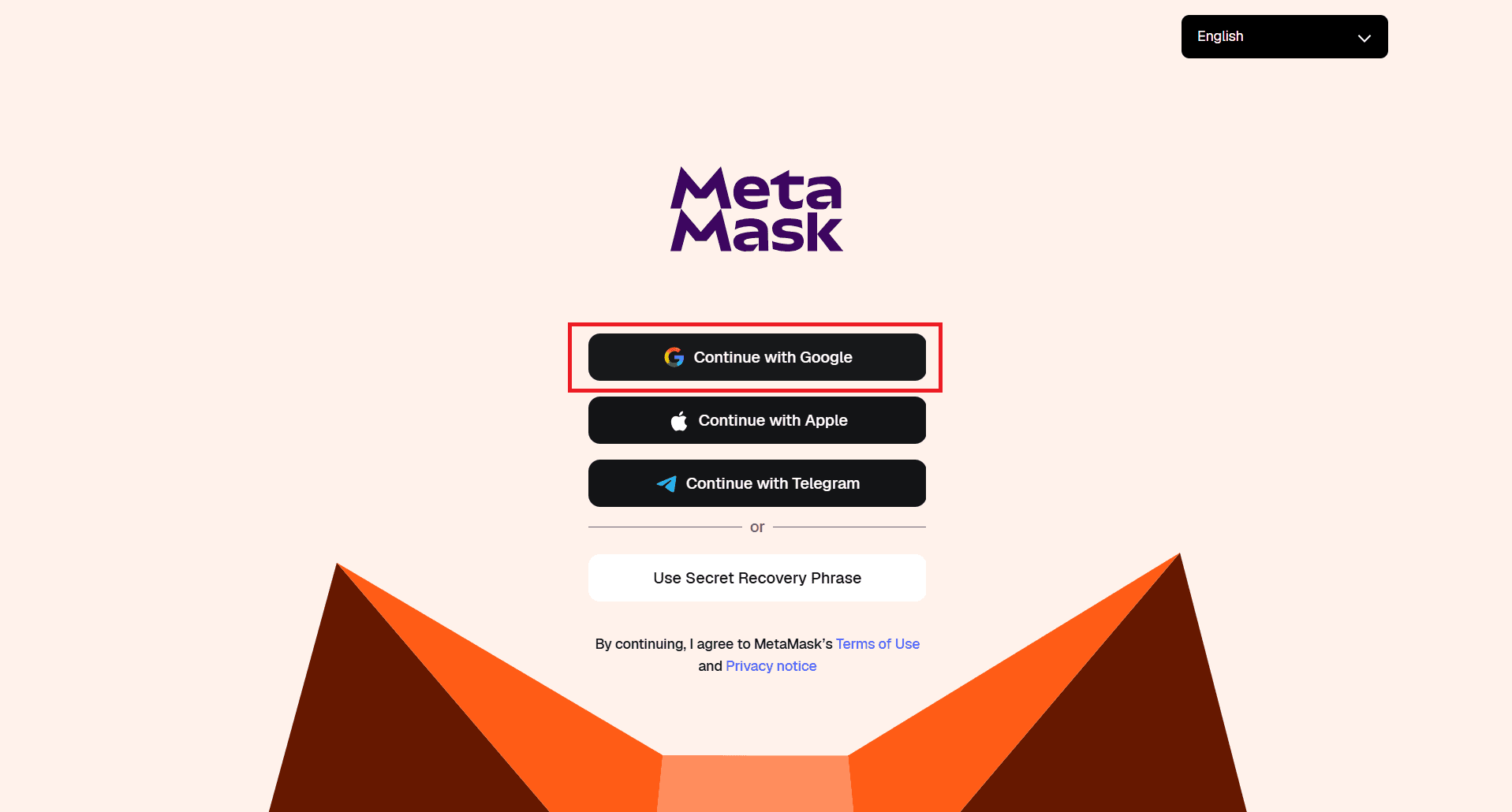
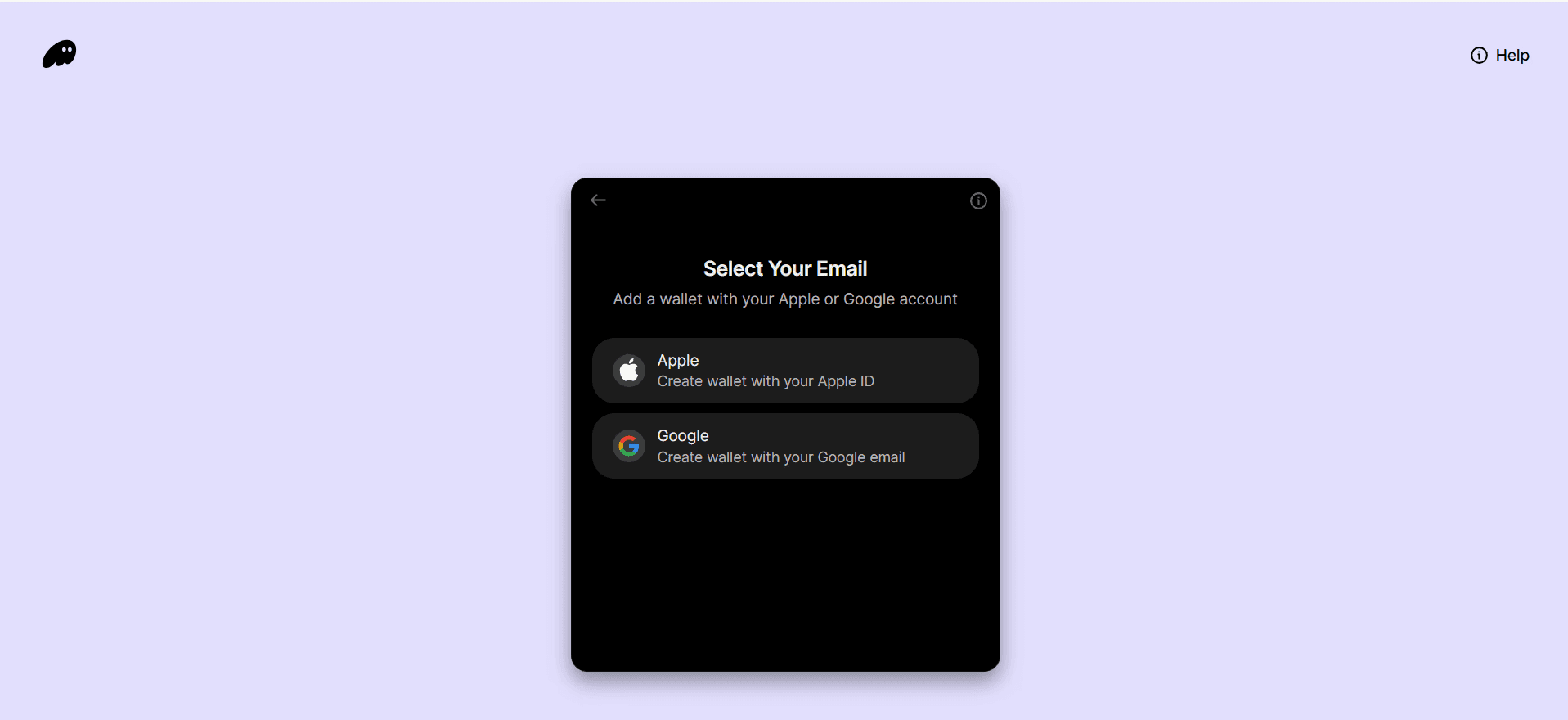
The assumed beginner fear in crypto is key loss. It did not appear once in her answers.
Her stated fear, in every review, was billing. Signing into MetaMask through Google, she worried the account was now attached to Google Pay and that testing features would charge her card. In each subsequent wallet she braced for a hidden fee that never came.
Recovery phrases appear nowhere in her answers about feeling unsafe, and the five wallets handled them four different ways. MetaMask and Phantom created the wallet behind a Google sign-in and never showed her one; MetaMask followed up with a QR code to install the mobile app, with Face ID offered as the fallback for a forgotten password. Zerion made writing the phrase down a required step. Trust Wallet created the wallet first, then ran a yellow banner across the home screen: "Backup your Secret Phrase now." Rabby ended setup with two buttons, Open Wallet filled in as the primary and Backup Seed Phrase outlined beneath it, and she took the primary.
Our tester didn't fear custody because she didn't yet know enough to fear it. The fear she imported from the rest of the internet was billing: cards on file, trial traps, surprise subscriptions. A single sentence at signup, stating that wallet creation is free and no payment method is attached, would have answered the fear she actually arrived with. None of the five said it during her signup.
Finding 3: there is no demo mode
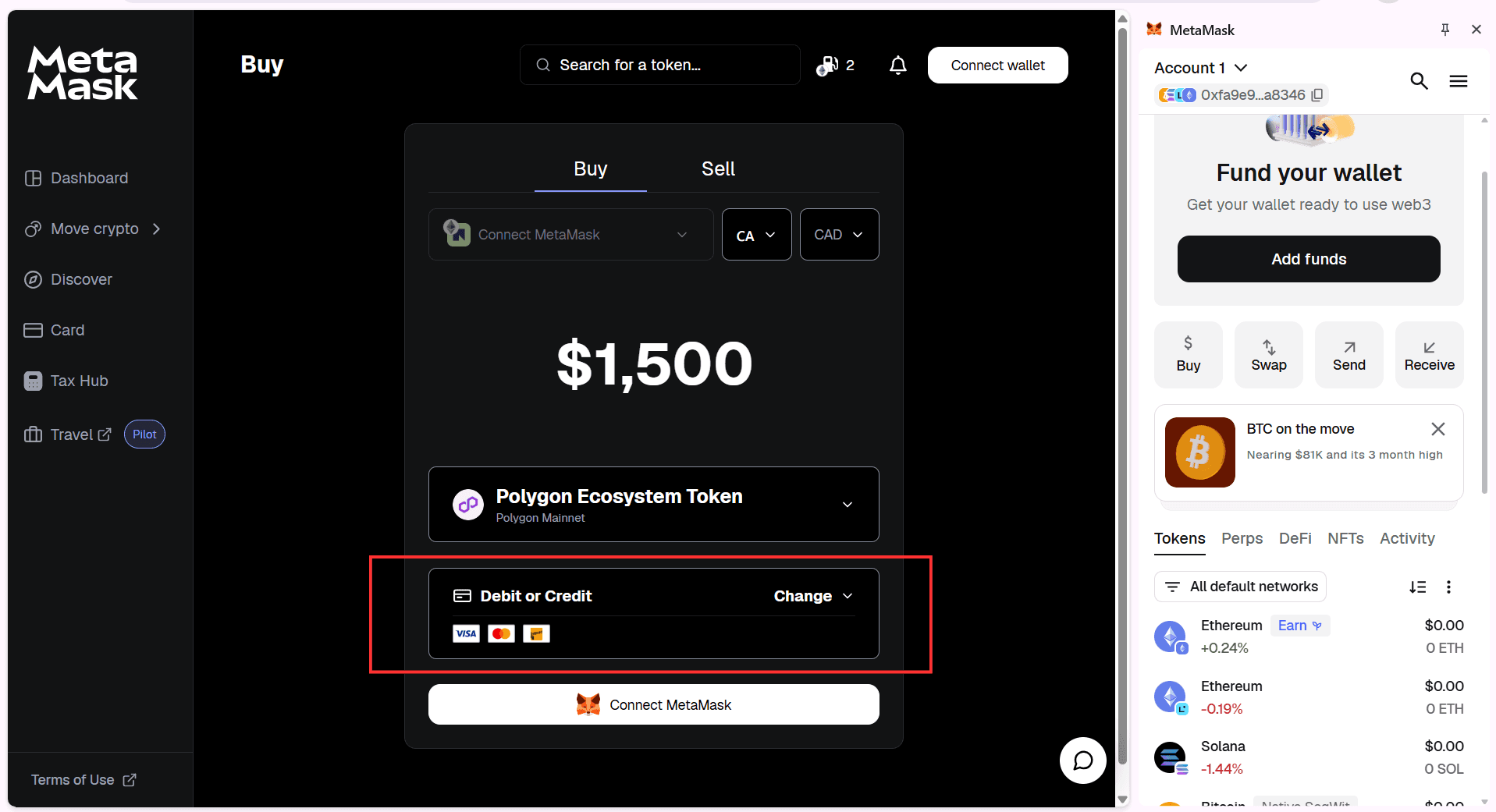
Her expectation for Buy and Swap was a trial mode, "just like other sites that have a free trial." On MetaMask's Buy page she entered $1,500. The page showed Polygon Ecosystem Token as the asset and Debit or Credit as the payment method, with the card logos beneath it. She read it as a checkout and stopped. In her words: "What I expected was a guide on how to buy and swap."
Her mental model came from consumer products that let her preview the core experience before committing. Wallets invert this. The new user lands in an empty shell where every meaningful action requires funding first, and the interface offers no picture of what a funded, active wallet looks like.
The empty state is the entire product until money arrives. Three of the five put an instruction in it, and all three said the same thing. MetaMask: "Fund your wallet. Get your wallet ready to use web3." Zerion: "Get Started by adding crypto to your wallet." Phantom: "Add Solana (SOL) to your wallet to get started," above a button reading Buy SOL with cash. None of the sessions showed a sample portfolio, a simulated swap, or a guided testnet path. The empty state is the cheapest place a wallet has to build trust, and the three that used it used it to ask for money.
Finding 4: vocabulary is navigation
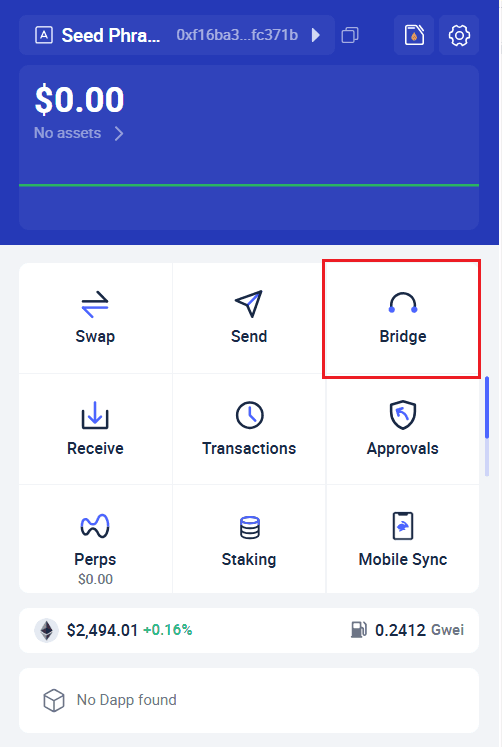
When a label failed, her method was brute force: "guessing every button and clicking everything," in her words. The words that failed, exactly as they appeared on screen:
DeFi and NFTs (MetaMask): unknown terms, sections skipped. Stats (Zerion): purpose unclear. Fund (Trust Wallet): one button hiding Buy crypto, Buy P2P, Deposit from exchange, and Receive from another wallet. Bridge (Rabby): read as maybe-buy and never resolved, because Rabby's home screen has no Buy at all. Its nine actions are Swap, Send, Bridge, Receive, Transactions, Approvals, Perps, Staking, and Mobile Sync, with a gas price in Gwei in the footer. She was searching for a word that wasn't there and landed on the closest-sounding one.
Two of the five, Trust Wallet and Rabby, name the default account "Seed Phrase 1." She used it as a landmark: the address must be the thing next to the words Seed Phrase.
One unfamiliar term survived: MetaMask's Activity. She inferred it meant history and moved on. A term she could infer was workable. A term she could not infer stopped her. Trust Wallet's 3 on plain English and Rabby's lost buy task trace back to single word choices.
One word came from the screenshots rather than from her. She never mentioned Perps because she never clicked it. It sits on the home screen of four of the five wallets, as a tab in MetaMask, Phantom, and Zerion and as a grid action in Rabby. Perpetual futures are one tap away in a wallet holding $0.00, while Buy is missing from one product and buried in another. In a beginner's session every label is load-bearing navigation. A word she doesn't know sends her clicking through the entire interface.
Finding 5: networks are the wall every wallet builds differently
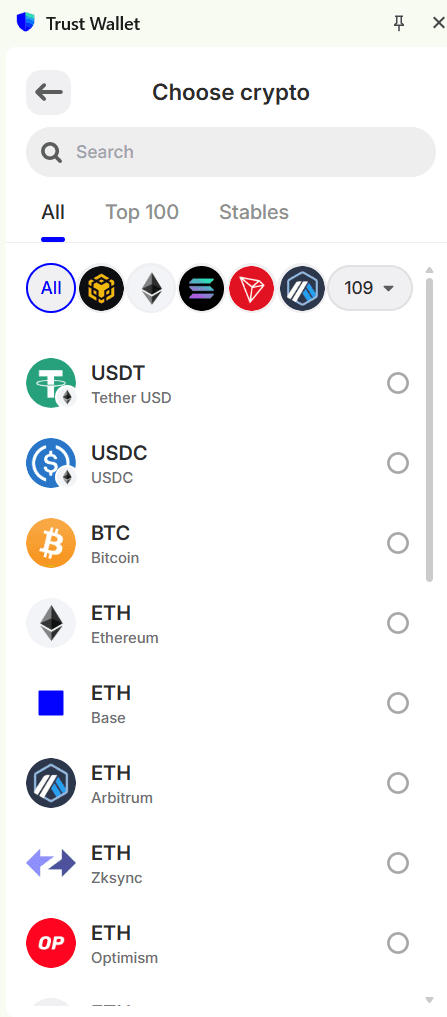
Network controls generated friction in four of five sessions, and no two wallets put them in the same place. MetaMask: on the main screen, labeled, found instantly, praised. Phantom: behind the profile picture, then Settings, then Active Networks. Trust Wallet: an unlabeled globe icon in the top right that turns into the selected chain's logo once switched, found last, after she had tried everything else. Rabby: inside Settings, found by guessing.
Placement is the smaller problem. What the controls contain is the larger one. Phantom's address menu, one tap from the home screen, lists nine addresses under a single Account 1: Solana, Ethereum, Bitcoin, Bitcoin again with a different address, Robinhood Chain, Base, Sui, Polygon, HyperEVM. The same 0xd1ed... string repeats on five rows. Her description of that screen: it's where "you can choose which address wallet you want." Nine addresses read to her as nine wallets, and nothing on the screen said otherwise.
Trust Wallet asked the same question in the receive flow. To get her own address she went Fund, then Receive from another wallet, then a list of 109 assets in which ETH appears five times on the first screen: Ethereum, Base, Arbitrum, Zksync, Optimism. Choosing a network was the prerequisite for the most basic action in the product, and no QR code waited at the end of it. MetaMask's home screen listed Ethereum twice, with different price movements, under "All default networks."
Her one complaint about Phantom's networks was that there were "only a few." The screen showed eight, four switched on by default, including Robinhood Chain and HyperEVM. She had no way to judge whether eight was a lot, because nothing on any screen explained what a network is or why anyone would switch one. The user is handed infrastructure topology as a UI control, with no mental model attached.
The network concept leaks upward until some layer takes responsibility for it. None of the five wallets took that responsibility in her session.
What actually worked
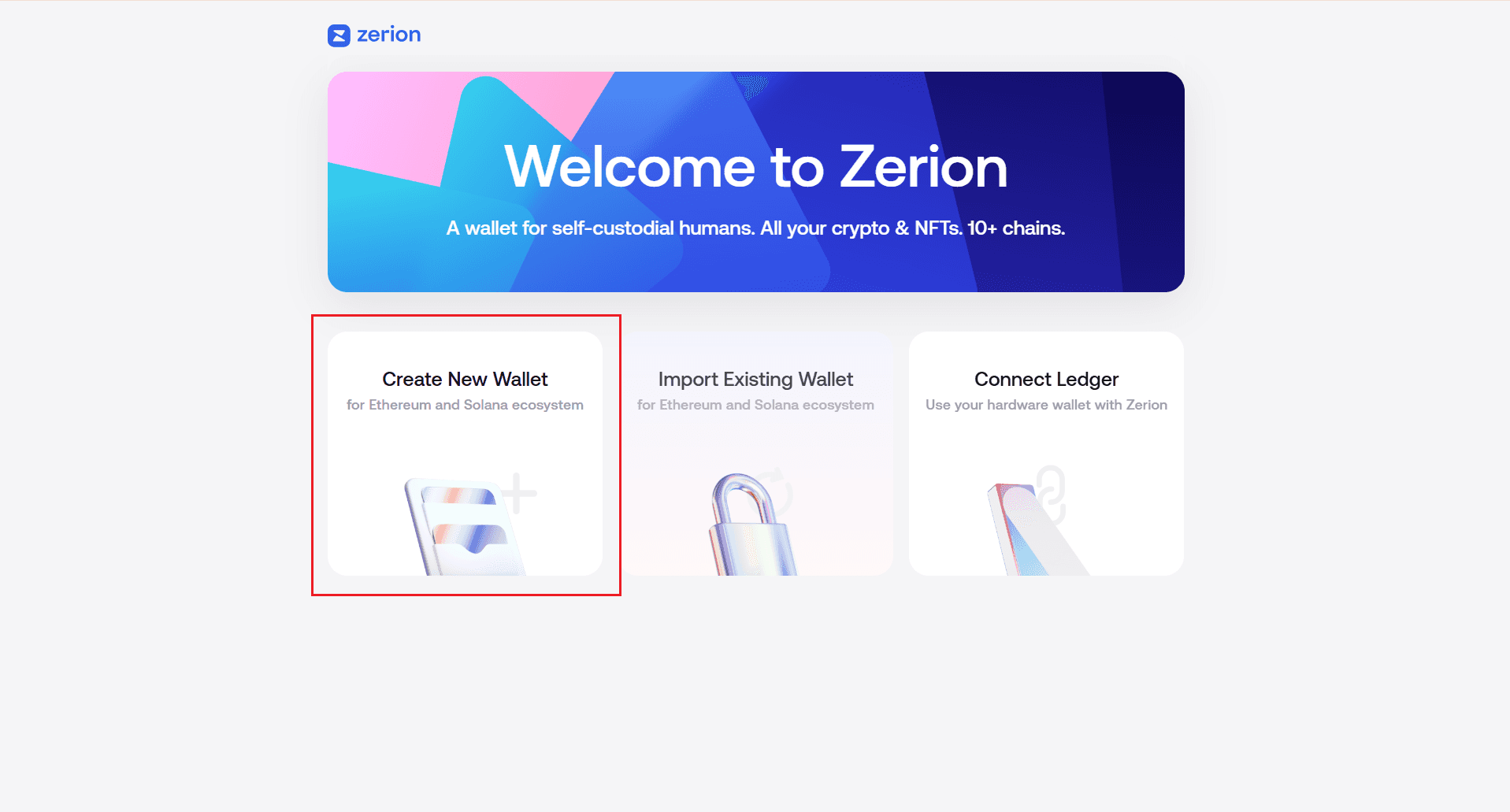
Her first impression of Zerion was lukewarm. She called the homepage plain and said she wasn't convinced. It finished 5 out of 5 on recommendation, on the strength of one pattern: instructions on every page. Each onboarding step stated what to do next in plain terms. Every function paired an icon with a label. Core actions sat on the first screen. In her words, a beginner is still figuring things out, so she needs instructions on every page.
Zerion is not a jargon-free product. Its welcome screen reads "A wallet for self-custodial humans. All your crypto & NFTs. 10+ chains," with Connect Ledger offered beside Create New Wallet. The instructions carried her past the vocabulary, which is the point: contextual guidance did more for her than word choice did.
Trust Wallet shows the inverse. Its transaction history showed an unlabeled spinner on an empty account. She read the product as broken. Wallets that stated the account was empty read as working.
The replicable checklist from this round: contextual instruction on every page, icon plus label and never icon alone, core actions on the first screen, empty states that say they're empty, and a plain statement at signup that creating a wallet costs nothing.
The next problem isn't access
Wallet UX has come a long way. Installation is fast, social login removed most of the signup burden, and interfaces are cleaner than they have ever been. The getting-started scores in this test reflect that work honestly.
Easier to start is not easier to understand. Our tester could create a wallet, navigate most of them, and recommend one. She could not build enough confidence to move $500 through any of them instead of Wise, even at a lower fee.
The industry spent years removing steps from setup. The uncertainty that stopped our tester is still there.